
































Pending Actions
One queue for confirmations, change requests, and approval. Only checked work moves on to invoicing.
Explore Pending ActionsGig-a-tronic by Gigatron
No spreadsheet between roster and invoice. Only approved hours go through.
Gig-a-tronic carries your planning from an open shift through to the invoice.
The demo opens in a new tab: a fictional agency, no account needed.
For staffing and secondment agencies that invoice clients.
Don't promise more than you can deliver.
Pick who fits and keep status visible.
Carousel playing
How it works
Demo screens without customer data.
01 of 05
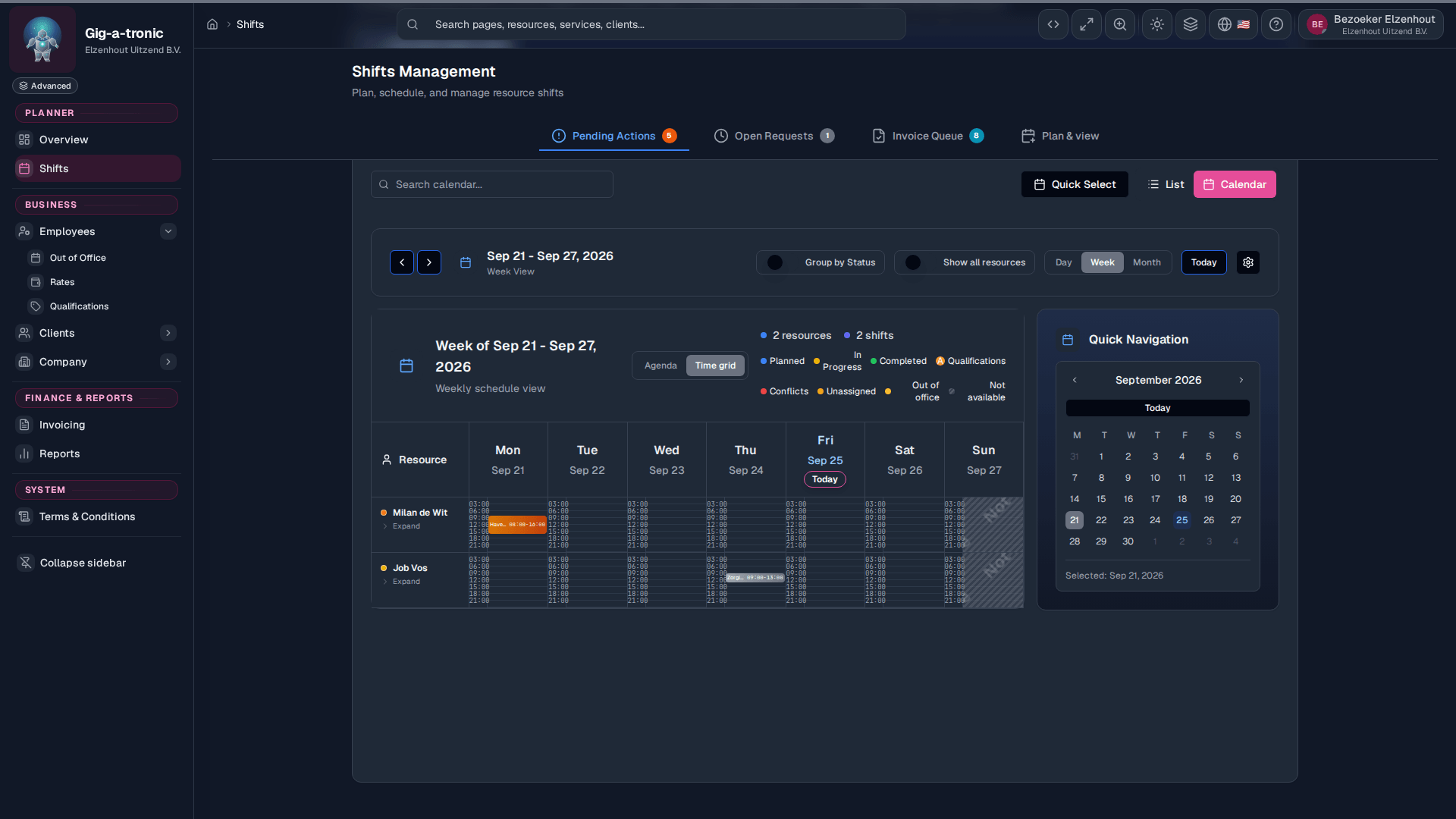
The shift list shows the date, hours and status.
02 of 05
The Smart Assign dialog is open, with the shift, a chosen person and the Assign button.
03 of 05
The verification dialog shows the employee, the worked hours, the break and the Approve verification button.
04 of 05
The invoice queue shows eight verified shifts. The page describes the step to Ready for invoicing.
05 of 05
The invoice preview shows the hours line, the total and PDF download.
Features
Pending Actions (one queue for confirmations, changes, and approval), Smart Assign (who fits; you confirm), qualifications, ORT (irregular-hours premium), portals, and optional connections — in the same system. Pick an area below, or see the full list.
01 of 08
Schedule shifts, assign with Smart Assign, and clear Pending Actions through approval.
View Planning02 of 08
Invoice what is on 'Ready for invoice', with separate invoices per location or person, as PDF and UBL.
View Invoicing03 of 08
Staff, weekly availability, and time off, visible to the planner.
View People04 of 08
Clients, locations, and projects. Get the client, locations, and requirements ready.
View Clients and delivery05 of 08
Requirements per role, the rate that applied that day, and ORT (irregular-hours premium) on invoice lines.
View Qualifications and rates06 of 08
Steer coverage, people, and finance from the same data as planning and invoices.
View Reporting07 of 08
A people portal for permanent and internal employees and for freelancers, plus a client portal. Self-billing is optional for freelancers.
View Portals08 of 08
Tools suggest. The planner decides who goes on the shift.
View AI agents integrationWhat planners use every day: Pending Actions, Smart Assign, invoicing from approved hours, requirements per role, and ORT (irregular-hours premium) on invoice lines.
One queue for confirmations, change requests, and approval. Only checked work moves on to invoicing.
Explore Pending ActionsSupporting
Gig-a-tronic suggests people who fit. The planner decides.
Explore Smart AssignSupporting
Set requirements per role and per service. Invoicing uses the rate that applied that day. A later change does not rewrite past invoices.
Explore requirementsOn first start, choose Quick Setup for the essentials, or Full Setup for team, clients, and master data. What you skip, you finish later. Not a custom project. Invoices come from approved hours: the rate that applied that day, ORT premiums, PDF and UBL you can download or email, and credit invoices for corrections. People see their shifts, time off, and documents. Clients see only their own projects. Planners keep the full record.
Get in touch. We walk through planning, approval, and invoicing on your chain. Or open the demo: a fictional company you can look through, including a sample invoice PDF. Your own environment follows once sign-up is open.

Robert Sikkema

Peter van Rij
Robert ran a healthcare staffing agency himself and planned, approved, and invoiced in spreadsheets. Peter built the software that replaces that.
Read our story